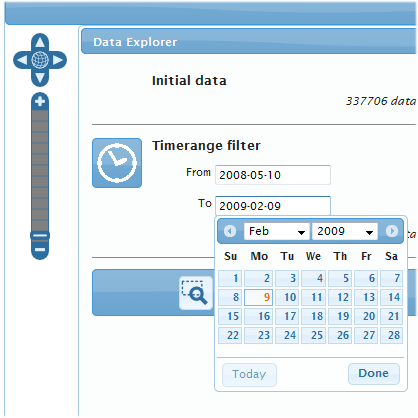
The OpenSource software OpenLayers enables the easy publication of maps from various providers on the web. The controls for the map, e.g. “Zoom into the map by a fixed amount” or “Move the map east by a fixed amount”, are hidden behind buttons that are delivered with the application in a standard version (see figure above).
On the internet, OpenLayers applications can often be recognized by these very memorable dark blue icons. However, if you create OpenLayers applications that have to follow a corporate design or simply special color specifications, the standard images often do not fit. However, since the underlying SVG files for the later icons are delivered together with OpenLayers, customized icons can be created – for example with the Inkscape software.
The company terrestris has written a software that simplifies and automates this step: the OpenLayersButtonGenerator. The tool is called via the command line with parameters for the foreground and background color and then generates PNG files that correspond to the desired color profile. The adaptation of the OpenLayers client to special design requirements can thus be implemented without any problems.
Here you can download the “OpenLayersButtonGenerator” tool for OpenLayers (*.tar.gz, approx. 12.6 KB).

Quick Guide:
The ButtonGenerator requires the Python scripting language and the Inkscape vector graphics program. The script was developed and tested under Ubuntu Linux, but should run on all common Linux distributions.
After unpacking the archive, a file "generateButtons.py" exists in the directory "OpenLayersButtonGenerator", which — after it has been set executable with chmod +x generateButtons.py if necessary — can be called as follows:
./generateButtons.py 'black' '#ededed'
The first command line parameter 'black' names the new background color, '#ededed' is the new grayish foreground color. The above command creates black-gray image files for the OpenLayers controls in the “OpenLayersButtonGenerator/output-png” directory, which you can use immediately. To do this, simply replace the images in the directory "img" of your OpenLayers installation with the images you have just created (a previous backup of the original icons is certainly useful). An example of the changed icons, which fit seamlessly into the rest of the design of an application, can be seen in the figure below.
The script can be called with color codes in hexadecimal RGB notation ('#rrggbb', for example '#0080ff') or the named colors according to the W3C-SVG specification. Short forms like '#ff0' for '#ffff00' are accepted.
The script is OpenSource software under the BSD license.